
Build my system
“Create a workspace for my projects, with stages, tasks, and a dashboard of indicators.”
Pages, blocks, and data organized into a plan you review before creating.
Bart. Everything that matters, finally together.

Organize tasks, projects, and data in one place. Start with a ready-made template or build your own system, without coding. For your routine or your team.
Open beta. Free during beta. No card required.
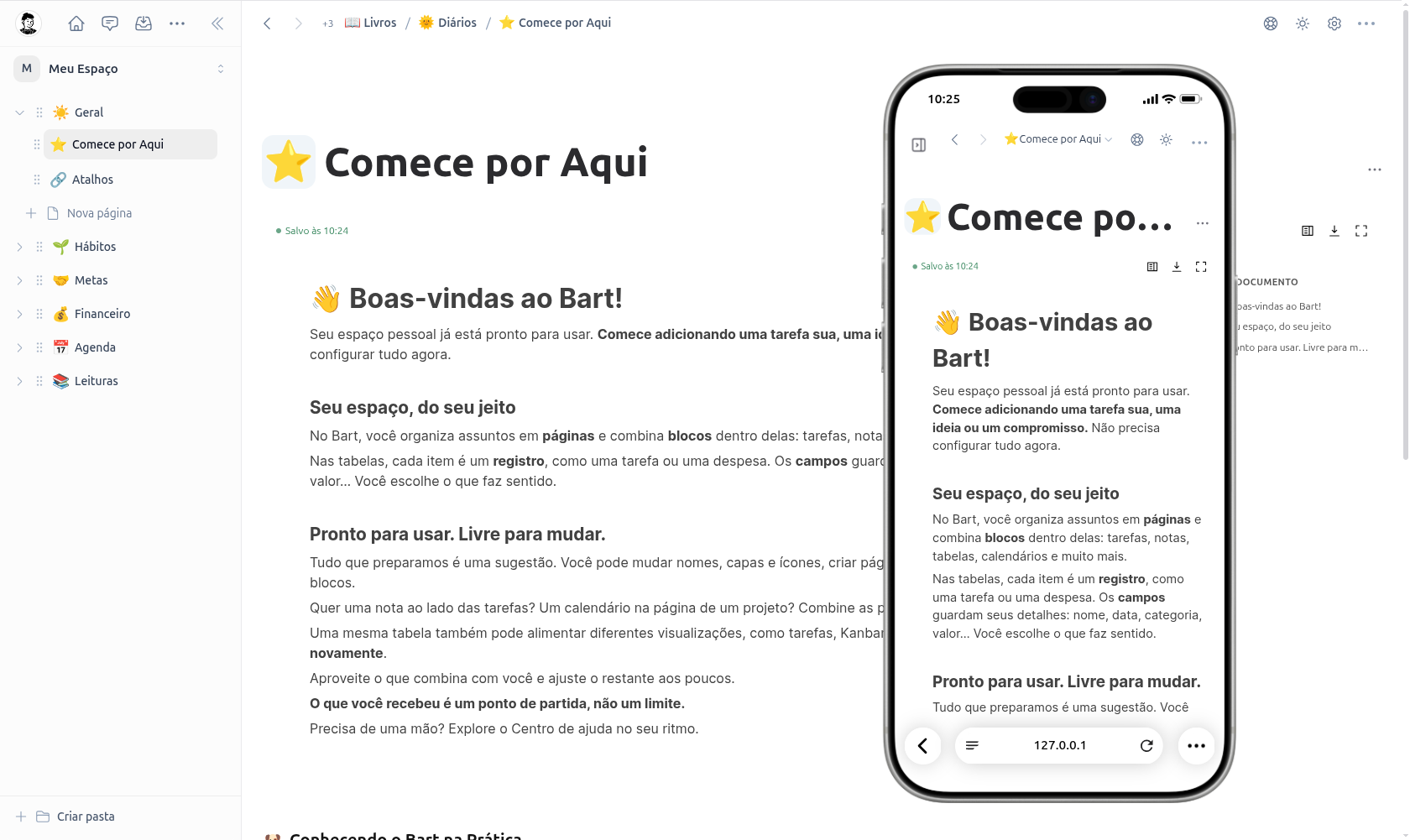
Change more than appearances. Create pages, choose fields, and combine notes, tasks, tables, and calendars to build your own structure.
Get a ready-made template to explore.
Use the examples, edit or delete what you don’t need.
Add fields, stages, and people when needed.
Tell Cloe your idea. She helps build your system, create pages and blocks, update records, move cards, and analyze your numbers. From your first step to a complete workflow, ask in your own words and follow along in your workspace.
Cloe is optional. To enable it, connect your AI provider’s key in settings. You can use Bart normally without it.
Open the AI section in Bart settings and add your provider’s key. AI usage is billed by the provider, separately from Bart.
Big ideas or small changes. Cloe helps with both.
“Create a workspace for my projects, with stages, tasks, and a dashboard of indicators.”
Pages, blocks, and data organized into a plan you review before creating.
“Move this card to In progress and update the due date.”
Update records and your board through conversation, respecting your access permissions.
“Analyze my sales this month and help me create a dashboard to track results.”
Explore your data, compare results, and build charts and indicators with Cloe’s help.
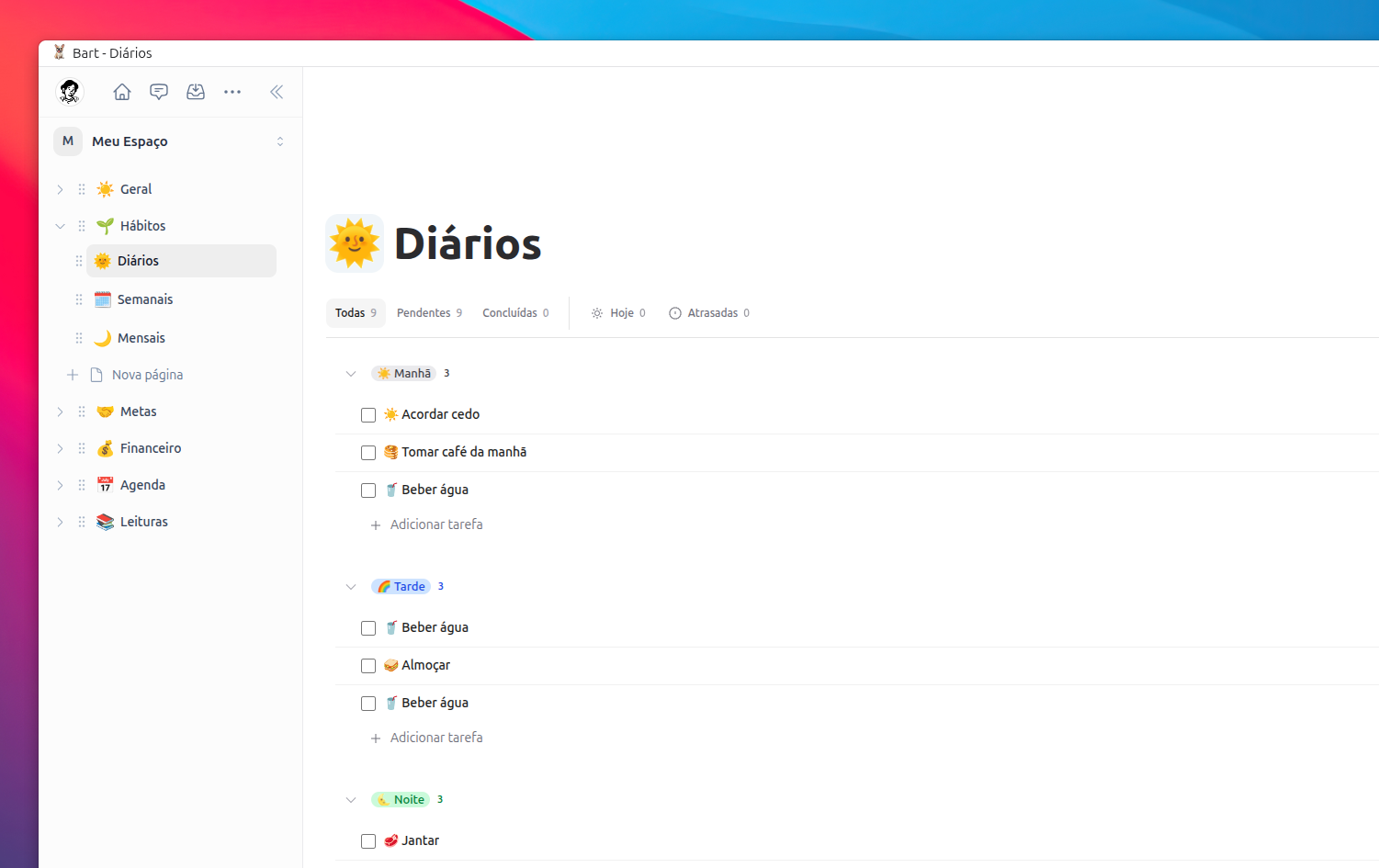
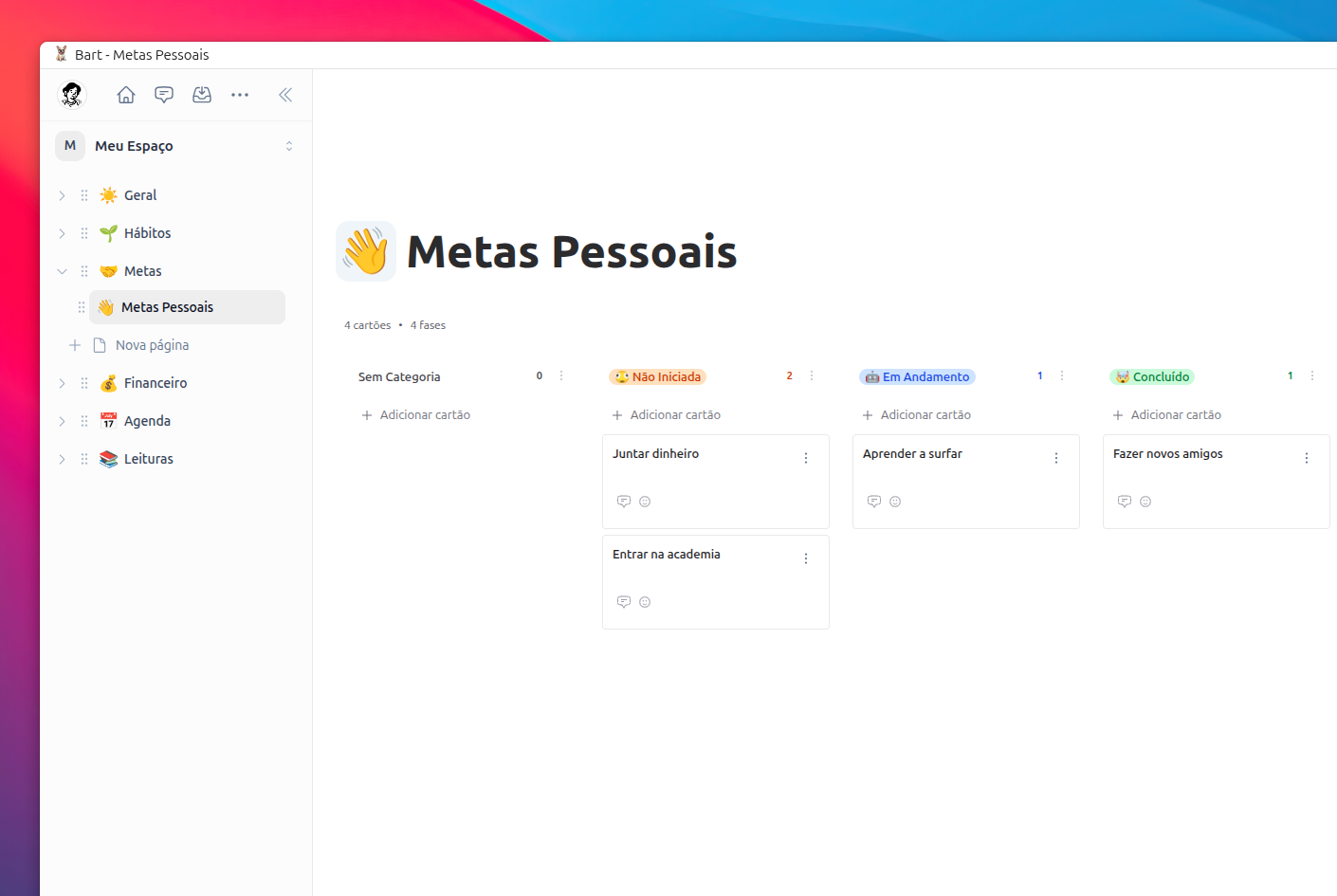
These images show starter template pages. Each demonstrates a possibility: use it for personal organization or adapt fields, stages, and data to your team’s work.
Start with a list. Add owners, dates, and stages to track your routine or a team process.
Organize projects and deliveries on a board. Adapt the stages and track work in progress.
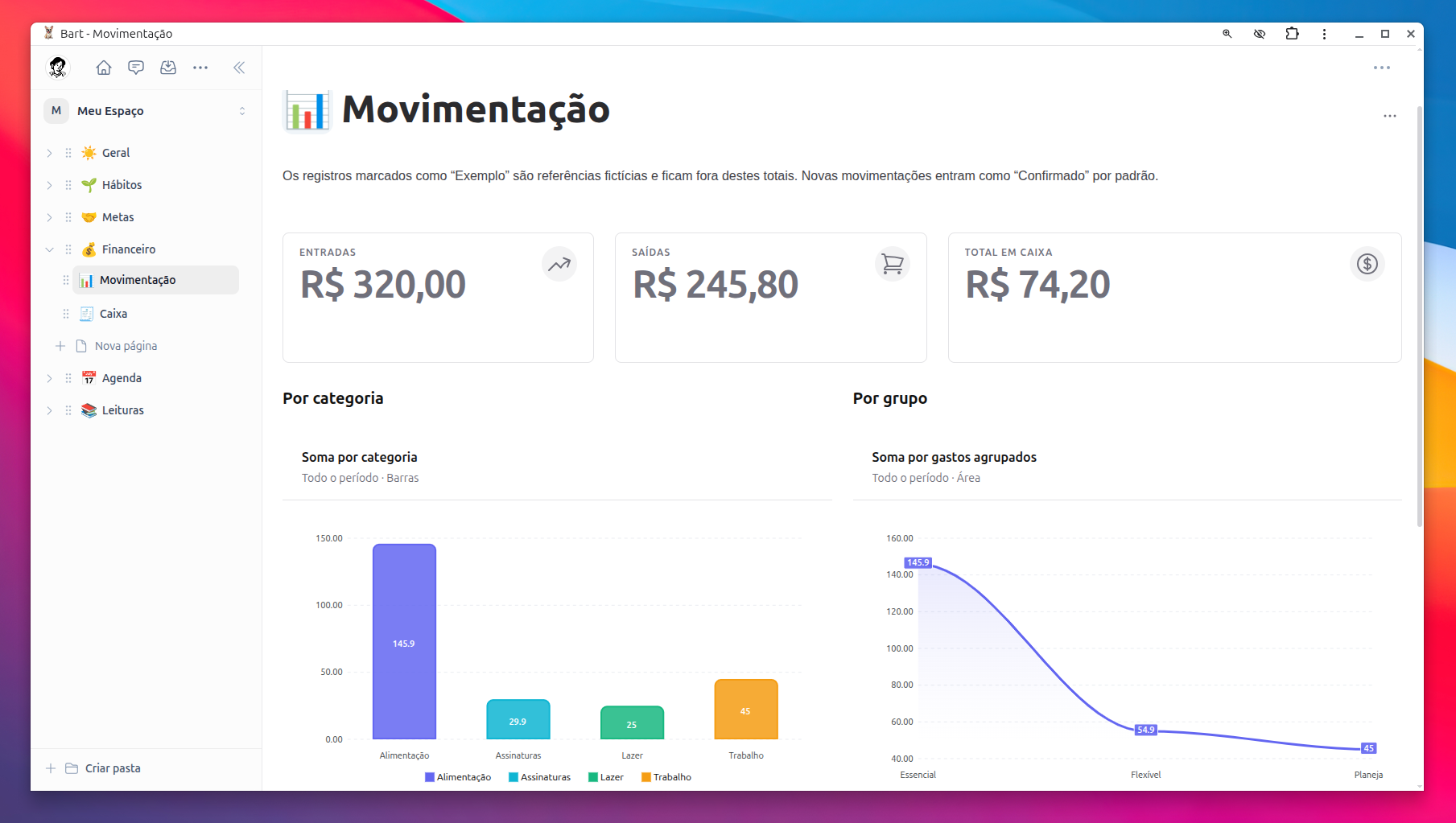
Bring your data into tables and turn numbers into charts and indicators for your routine or operations.
This example shows a personal schedule. Use calendars for appointments, activities, and team deadlines.

The book list is an example. Organize references, documents, and project information with your own fields and notes.

These examples help you explore Bart. Edit, delete, or replace all of these pages.
A personal list, a project, or your team’s operations: combine the same building blocks and expand over time. Below, a financial dashboard shows how tables, charts, and indicators work together.
Cash, income, expenses, and savings open the dashboard view.
Deadlines, owners, and status stay close to the work.
What was once rows and columns becomes a quick view of the week.
Different indicators complete the dashboard without duplicating information.
Combine pages, data, and views for your routine or operations. Choose what you need now and add more building blocks as your process grows.
Projects, requests, and work routines become clearer when tasks, owners, and conversations share a space. The example below is a trip: the same tools help your team coordinate deliveries.
Someone suggests a stop, someone else adjusts the day. Everyone sees edits in real time.
Tickets, lodging, what to bring. Organize tasks, owners, and dates so everyone knows the next step.
Chat, comment on every idea, and follow changes in the feed. The plan and conversation stay together.
Keep your personal organization and create other teams for your projects or company. Invite people and choose who can edit or follow along.
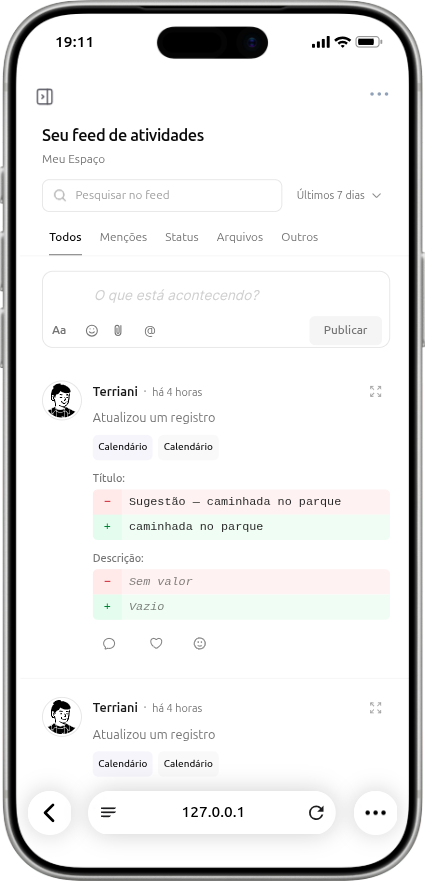
Follow what changed, reply to comments, and leave an idea for the team without losing the project context.
Bart is still in beta, so this is the best time to join, use it at no cost, and watch the product evolve up close.
Try Bart while it is in beta and help shape the product from the start.
Access to Bart during beta. Cloe uses your AI token.A simple price to keep using Bart after the product leaves beta.
Join free now and decide later.No. Those pages are starter template examples. Combine pages, tables, tasks, Kanban, calendars, charts, and indicators to organize your life or build work systems.
Yes. Edit or delete pages and examples, create new pages, and choose fields, blocks, and views for your system. The template is a starting point, not a required structure.
Yes. Keep your personal workspace and create teams for projects or your company. Invite people, decide who can edit or follow along, and organize tasks, data, and conversations in context.
Build and use your workspace with Bart’s controls, without programming or enabling Cloe. To get AI help creating, updating, or analyzing, add your own token in settings. Cloe respects your permissions and requests approval for creation plans.
Create your account and use Bart free during beta, without a card. Cloe uses your AI token; any AI provider costs are separate from Bart.
No. Start with a list, page, or project. Add fields, stages, indicators, and people as needed. The same workspace can grow with your routine and processes.
Start with an editable workspace. Organize something today and build what your work needs tomorrow.
Free during beta. No credit card required.